

Apple’s Human Interface Guidelines define the purpose of an iOS widget rather clearly:
A widget displays a small amount of timely, personally relevant information that people can view at a glance. Even though interacting with a widget lets people see or do more in your app, a widget’s main purpose is to provide useful content people can get without opening your app.
A widget isn’t just an extension of the app; in fact, its focus is rather narrow: it provides information directly related to a single idea, and provides entry points into the app for deeper interaction.
In this respect, it is perfectly suited for a contact-tracing app, where important information about COVID-19 exposure, safety, and resources can be elevated right onto the homescreen. This has been done before, for example in Singapore’s TraceTogether app. The widget functions mostly as a shortcut for checking in to venues, however, and doesn’t take full advantage of the possibilties offerred by iOS widgets.
The TraceTogether widget, courtesy of The Government Technology Agency of Singapore

At A Glance is a design prototype meant at fully engaging with the intended user experience of an iOS widget for the NHS COVID-19 app, to make contact tracing and risk management more intuitive and simple.
Conceptualisation
Feature Mapping
In order to know what to display in a widget (and when), it was important to understand the user journey of the NHS COVID-19 App itself. By extrapolating from the app’s features, a set of goals arising from different user states emerged.
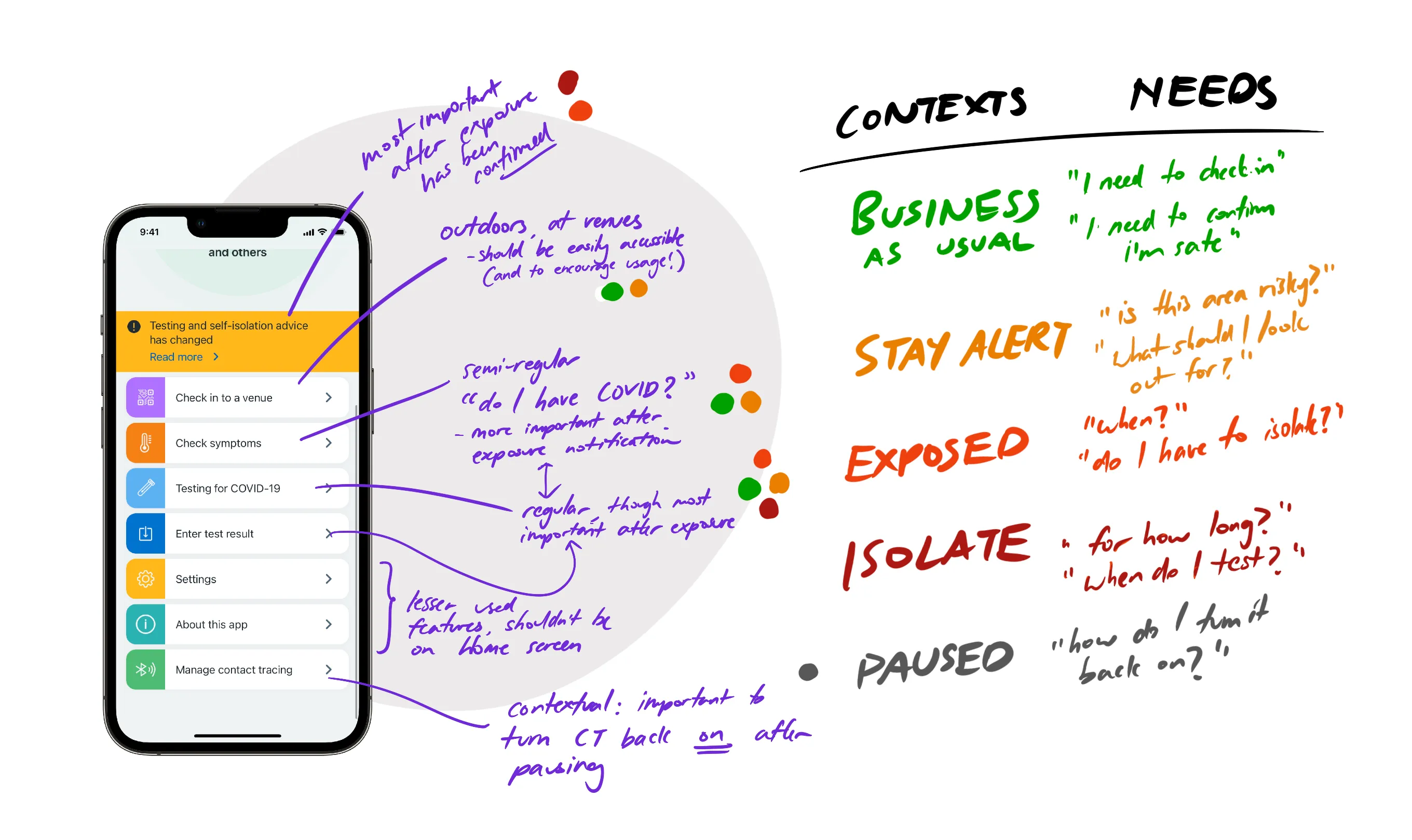
From this analysis, it was clear that the multiple system states are possible in the app, were also associated with different user goals, primarily depending on their exposure status. In addition, many of the features would require tapping through multiple menus, which was a problem that a widget was perfectly positioned to solve.
Contextual information was a very important principle in the subsequent design sketches, surfacing the most important information and interactions for each possible exposure state, presenting users with exactly what they need, when they need it.
Color Coding Information
One interesting design choice that emerged during the initial sketches was the use of a traffic light colour scheme to broadly convey information about safety. This created distinctive widget states of different visibility levels; the green background was intended to fade into the background, making the orange and red states stand out and draw the user’s attention to important information.
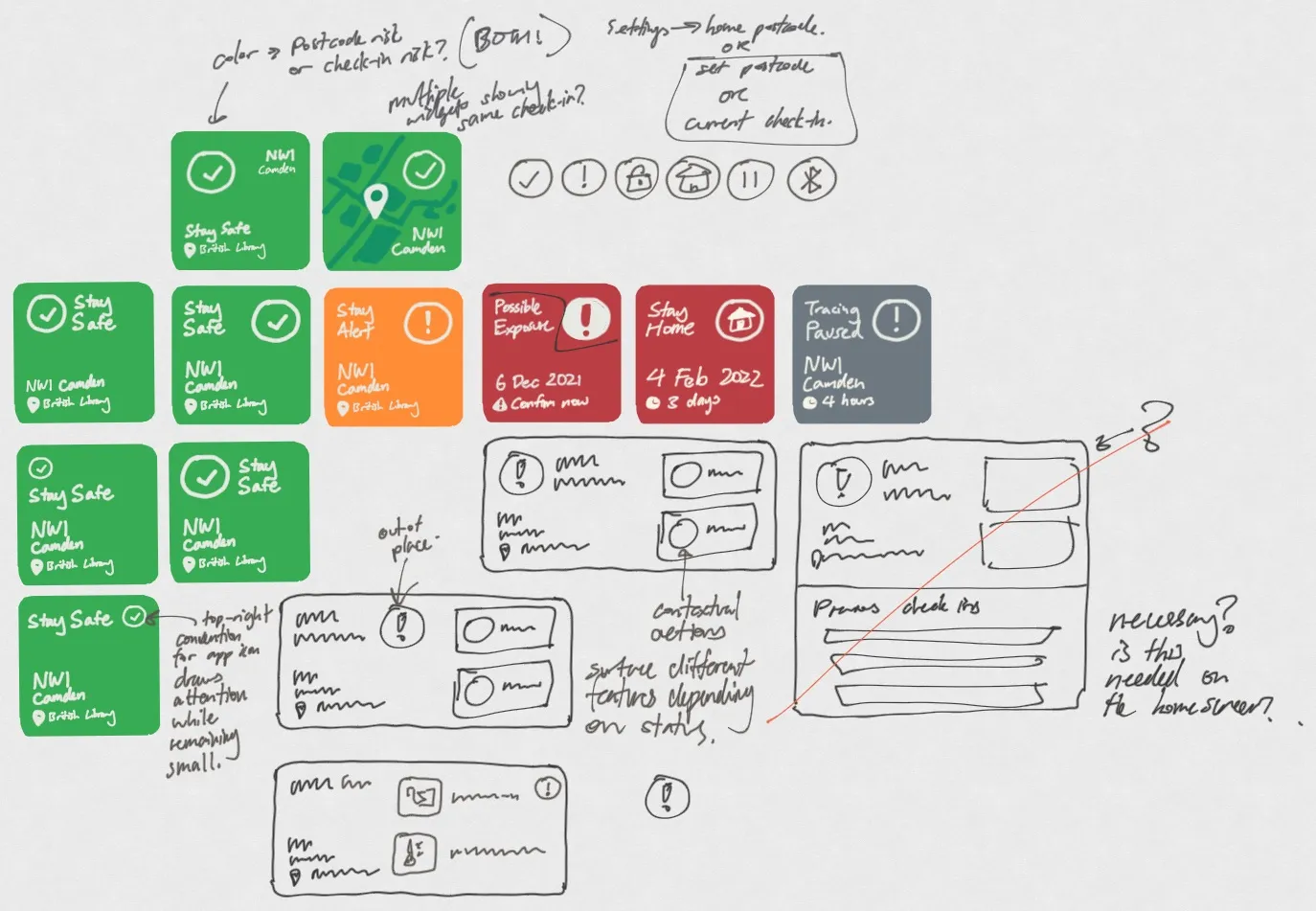
From a psychology standpoint, the use of a full-colour widget would allow high-level information to be glanced without even reading text, for example, while a user is swiping through to other apps. Peripheral vision can be just as useful!
It was important to keep accessibility in mind, as well. Descriptive icons complemented the colour scheme to provide additional context and help colourblind users distinguish between states.
Design
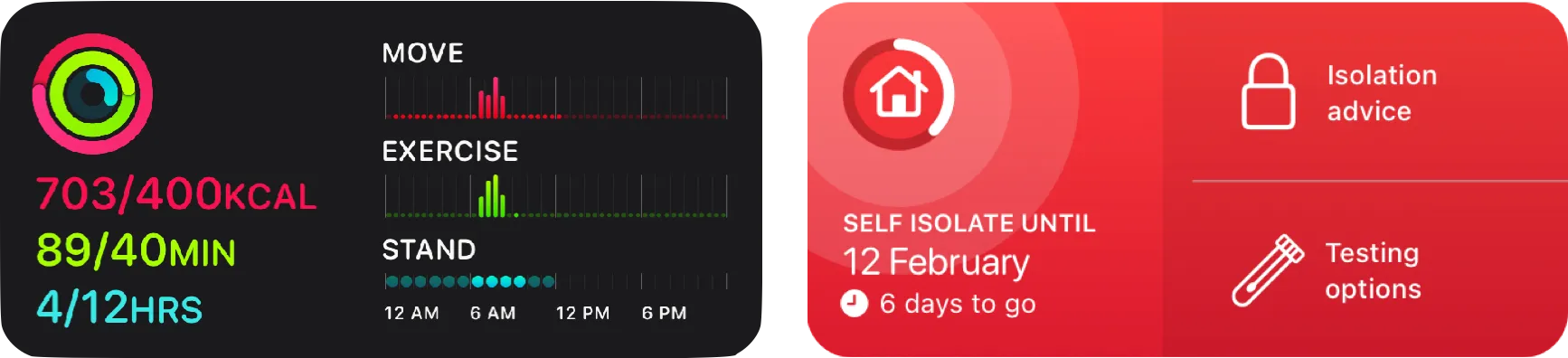
The widget’s design followed Apple’s Human Interface Guidelines closely, not only to ensure that it visually complemented the greater iOS ecosystem, but also by leveraging existing conventions and user expectations to make the widget more intuitive.
The colour scheme was also paired with a radar ripple effect, forming a strong visual association with the app, keeping the widget’s purpose clear.
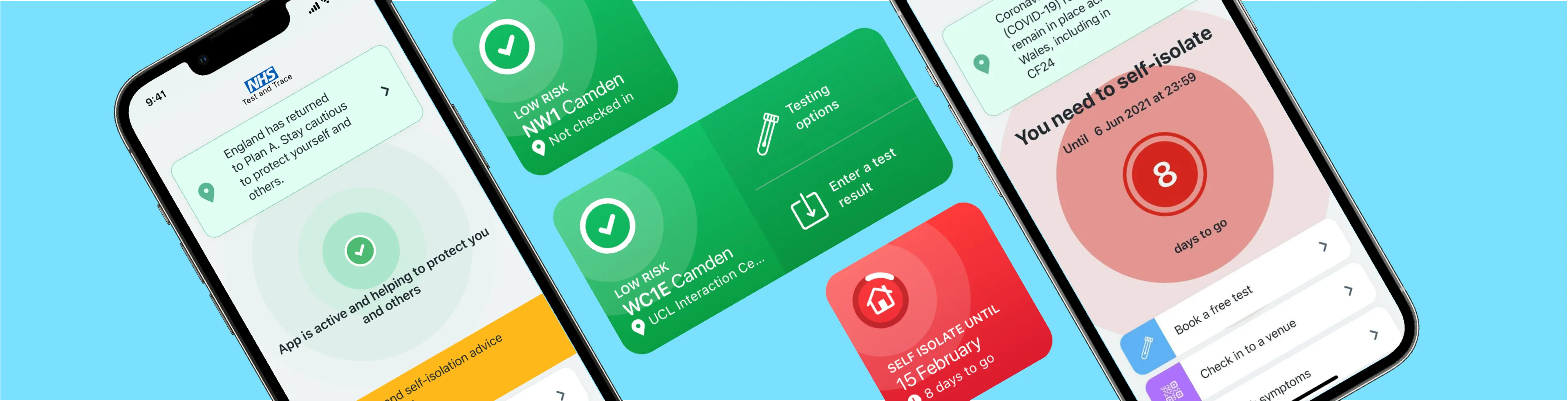
At A Glance was iteratively designed to ensure that it lived up to its name: it had to make itself glanceable and useful for all contexts; each iteration focused on assessing the fit of the information displayed for the user goals previously defined.
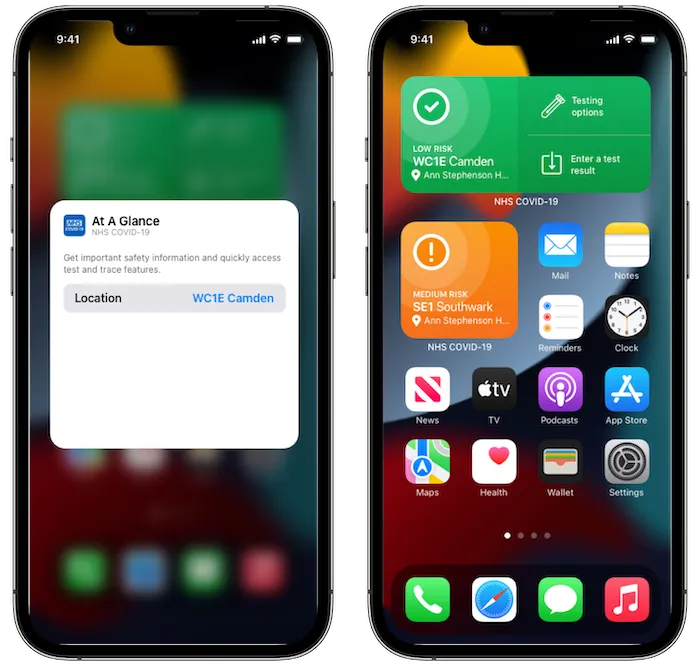
One of these iterations involving making sure that At A Glance could be usefully customised. Although the NHS COVID-19 app does not utilise location tracking, partial postcodes can be set in the app. This was extended in the wdiget design, allowing multiple instances set to different regions. Users would be able to get risk information about the areas that matter most, be it home, work, or the last venue checked into.
Prototype
Once the design satisfied the requirements, it was also important to evaluate it within the full iOS environment—not just in isolation. A few interactive prototypes were created to illustrate different user interactions for a given goal and state; for example, checking in to a venue.
Lessons
Designing for an existing app required a balance of many different factors, taking into account what users use the app for, and what their expectations of a widget would be. It was also important to keep visual language consistent with iOS, while still making the widget distinctive and interesting. Using colour as information rather than simply as embellishment was a defining feature of At A Glance, and it showcases the power of widgets to condense many different interactions into a simple glance.